Designing a seamless air-purification experience inside the iRobot smart-home ecosystem
When iRobot expanded its portfolio with a new air purifier, the team needed to integrate it into an existing app designed primarily for robot vacuums. This meant redefining navigation, simplifying onboarding, and unifying different product behaviours—all while maintaining the brand’s visual and functional consistency.
Project Oveview
My Role: UX/UI Designer (solo design ownership) Team: Product Manager, Engineers, QA, Internal Testers Timeline: 1 year and 5 months Company: iRobot (Aeris) – Smart home product integration Scope: UX Research, Competitive Benchmarking, User Flows, Wireframes, UI Design, Prototyping, Iteration & Testing, Developer Collaboration
To comply with the NDA, limited information is shared the following case study ⚠️ This product is NOT in the market yet ⚠️
Project Scope & Key Numbers
This project spanned multiple teams and product areas, from app integration to the development of new purifier features. The scope evolved significantly as the product matured, resulting in a comprehensive end-to-end redesign and the addition of new functionality across the ecosystem.
Below are key statistics reflecting the scale and depth of the work involved.
Key project metrics highlighting team size, features delivered and overall workload across the design cycle.
the challenge
/
goals
/
objectives
Evolution of the Air Purifier Experience
A visual timeline showing the evolution of Aeris and iRobot’s air-purifier apps: from the first standalone Aeris app (2010) to the redesigned Aeris experience (2021), and finally the unified iRobot integration (2023). This context highlights the transition from multiple fragmented apps to a single cohesive smart-home ecosystem.
This integration created a unified experience for users who previously had to manage multiple apps to control their home devices.
The challenge
iRobot wanted to bring its new air purifier into the core mobile app used by millions of robot-vacuum owners, creating a unified and consistent smart-home experience.
Main challenges
• Merging two completely different product behaviours (robot cleaning vs air purification). • Redesigning navigation to accommodate more devices without complexity. • Creating a clear, intuitive onboarding flow for a non-robot product. • Ensuring interaction patterns matched iRobot’s design language. • Maintaining UI accessibility and visual clarity across new screens.
The project required balancing hardware limitations, engineering constraints, and user expectations.
user interview
/
insights
/
scopes
User Interview
I conducted internal and external interviews with participants familiar and unfamiliar with air-purifier devices. The goal was to understand pain points, expectations, and mental models around air-quality products and smart-home control.
Key Insights
• Users wanted a calm, simple interface—air quality should feel effortless, not technical. • Most expected one single app for all home devices. Managing multiple apps caused frustration. • Clear onboarding and guidance were essential, especially for non-technical users. • Data visualization had to be minimal and understandable at a glance. • Users wanted reassurance that their home air was clean without needing to monitor constantly.
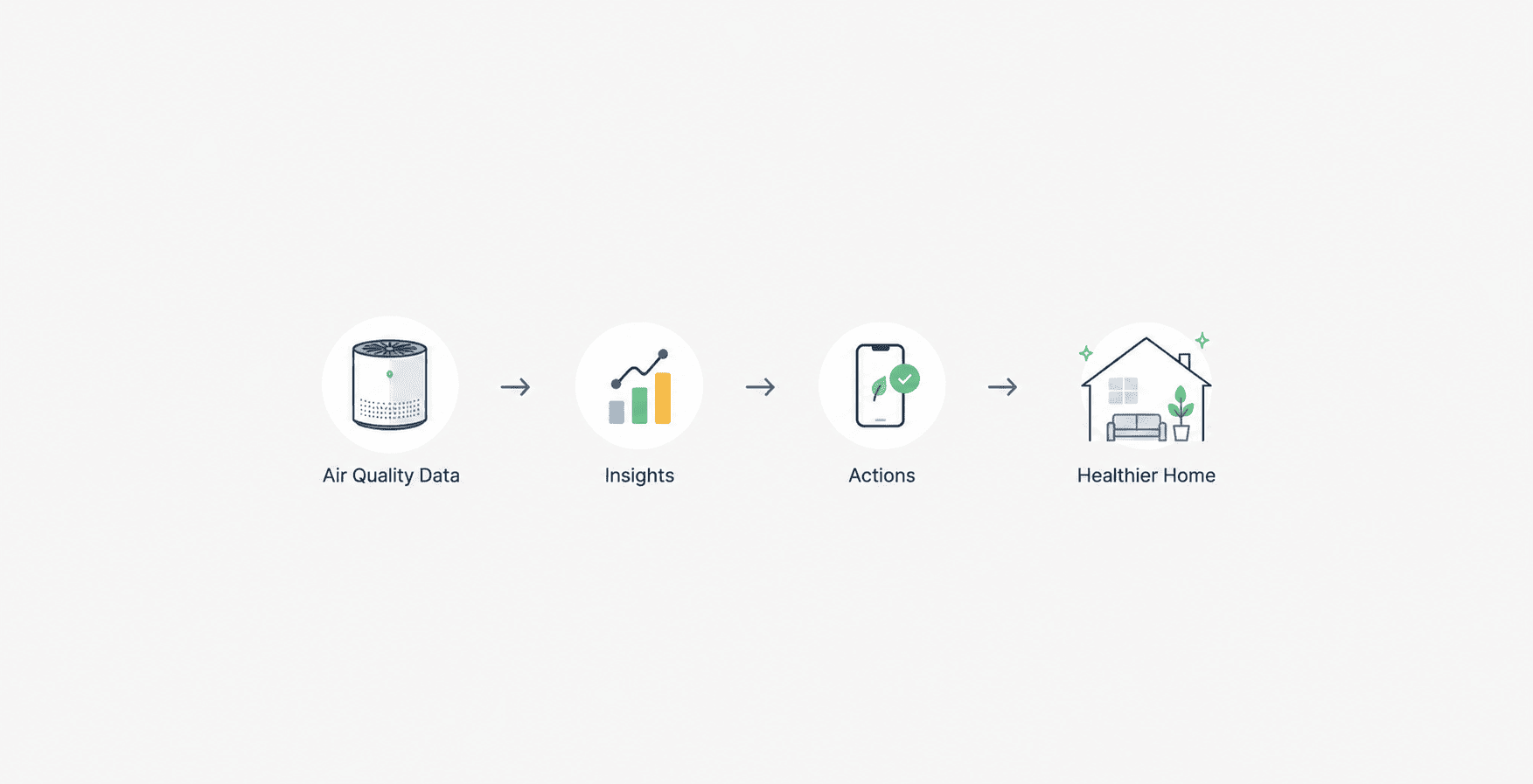
User research findings showing the need for a unified experience and simplified AQI information.
design process
/
competitors analysis
/
user flow
Benchmark insights that informed our approach to calm, minimal UI and clearer AQI communication.
Benchmarking & Competitive Analysis
I analysed leading competitors, including Dyson, Mila, and others. Your original images for this section are good—keep them. Key Findings • Dyson offers precision and data-rich dashboards but often overwhelms users. • Mila focuses on personality and emotion, using storytelling to simplify complex data. • Most competitors rely on card-based layouts, clean typography, and clear status indicators. Design Implications • Prioritize a minimal, calm aesthetic. • Reduce cognitive load using structured hierarchy. • Ensure real-time feedback is immediately visible.Use concise, human-friendly language. • Maintain iRobot’s existing visual identity for consistency.
Information Architecture & User Flows
Using insights from interviews and competitor analysis, I created flows for: • Setting up the air purifier • Connecting it to WiFi • Understanding air quality • Controlling modes • Scheduling • Multi-device navigation
User flow for connecting the new air purifier and accessing real-time air-quality information
Early wireframes used to validate structure, navigation and information hierarchy before applying visual design.
wireframes
Low-fidelity screens were created to validate layout, hierarchy and IA before UI execution.
First Prototype (Alpha 1)
What didn’t work: • Navigation patterns were inconsistent with the existing app. • Some interactions created friction, especially switching between modes. • Certain UI elements were too complex for users. • Bugs and connection issues slowed the flow.
Initial design iteration highlighting usability friction and areas requiring simplification.
Final Prototype (Alpha 2)
Second prototype (Alpha 2) with refined navigation, clearer data hierarchy and improved visual consistency.
Visual Design System / Graphic & 3D Assets
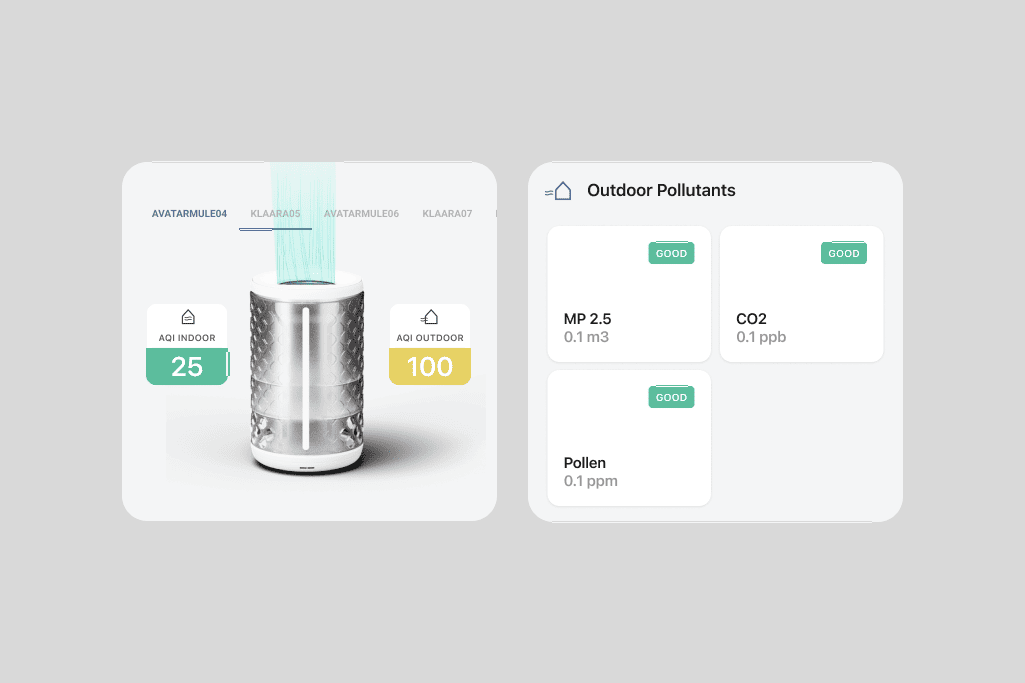
To support a cohesive and intuitive experience, I created graphic and 3D visual assets used across the purifier screens. These elements helped reinforce the mental model of “air quality” and provided clear visual cues for states, modes and device behaviour. The goal was to make complex information feel simple, calm and consistent with the iRobot visual identity.
The visual assets included: • Air-quality state icons (Good / Moderate / Poor) • Realistic yet simplified 3D device render • Depth-based shadows and gradients to create a clean and tactile feel • Mode illustrations (Auto, Quiet, Performance) • Animations and micro-interactions that support user feedback
3D purifier render used across onboarding and status screens to reinforce recognisable device context. Custom icon set designed for AQI states and purifier behaviours.
Intro animation used to set the tone and visual personality before the login and sign-up screens.
As part of the visual system, I created a short intro motion that reinforces the purifier’s brand identity before users enter the login flow.
usability testing
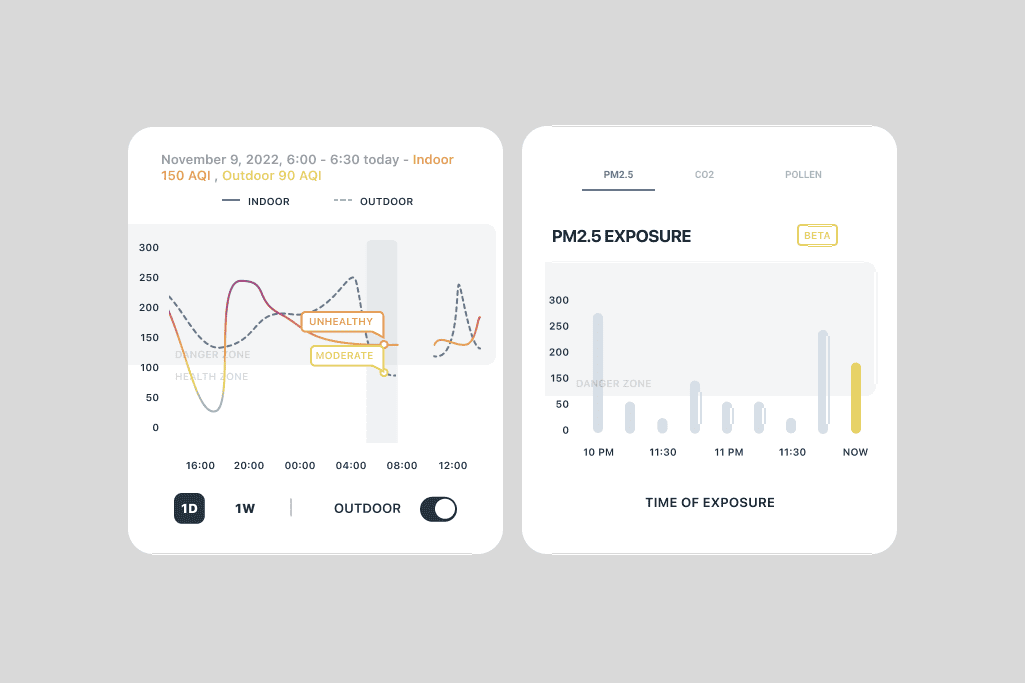
To validate the air-quality analytics screens, I conducted usability testing with real users.
The goals were to understand how familiar they were with air-quality concepts, how they interpreted numerical and visual data, and which presentation formats were most intuitive.
Method
• Asked users about their background, familiarity with AQI and expectations. • Tested multiple versions of indoor and outdoor analytics screens. • Observed how quickly they understood key metrics, what confused them, and which elements drew their attention first.
Key Findings
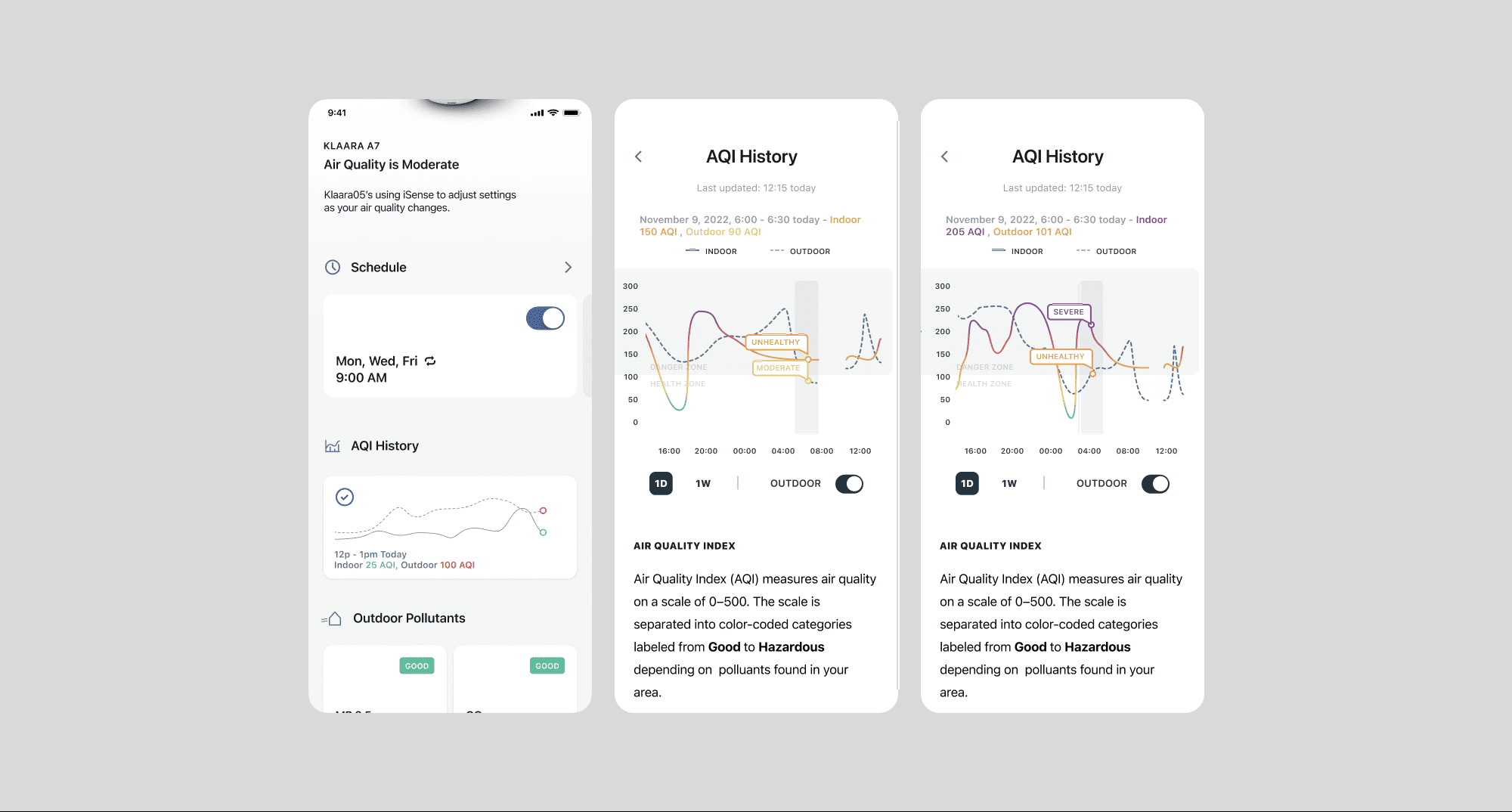
• Users preferred simple visuals over dense numeric data. • Color-coded indicators helped them understand air quality instantly. • Users struggled with screens that mixed indoor and outdoor data in the same view. • Too much terminology created cognitive load; plain language was more effective.
Impact on Design
• Simplified the analytics layout and focused on the most relevant metrics. • Used clear color hierarchy to reinforce air-quality status. • Separated indoor and outdoor information to improve scannability. • Reduced technical jargon and improved labeling for accessibility.
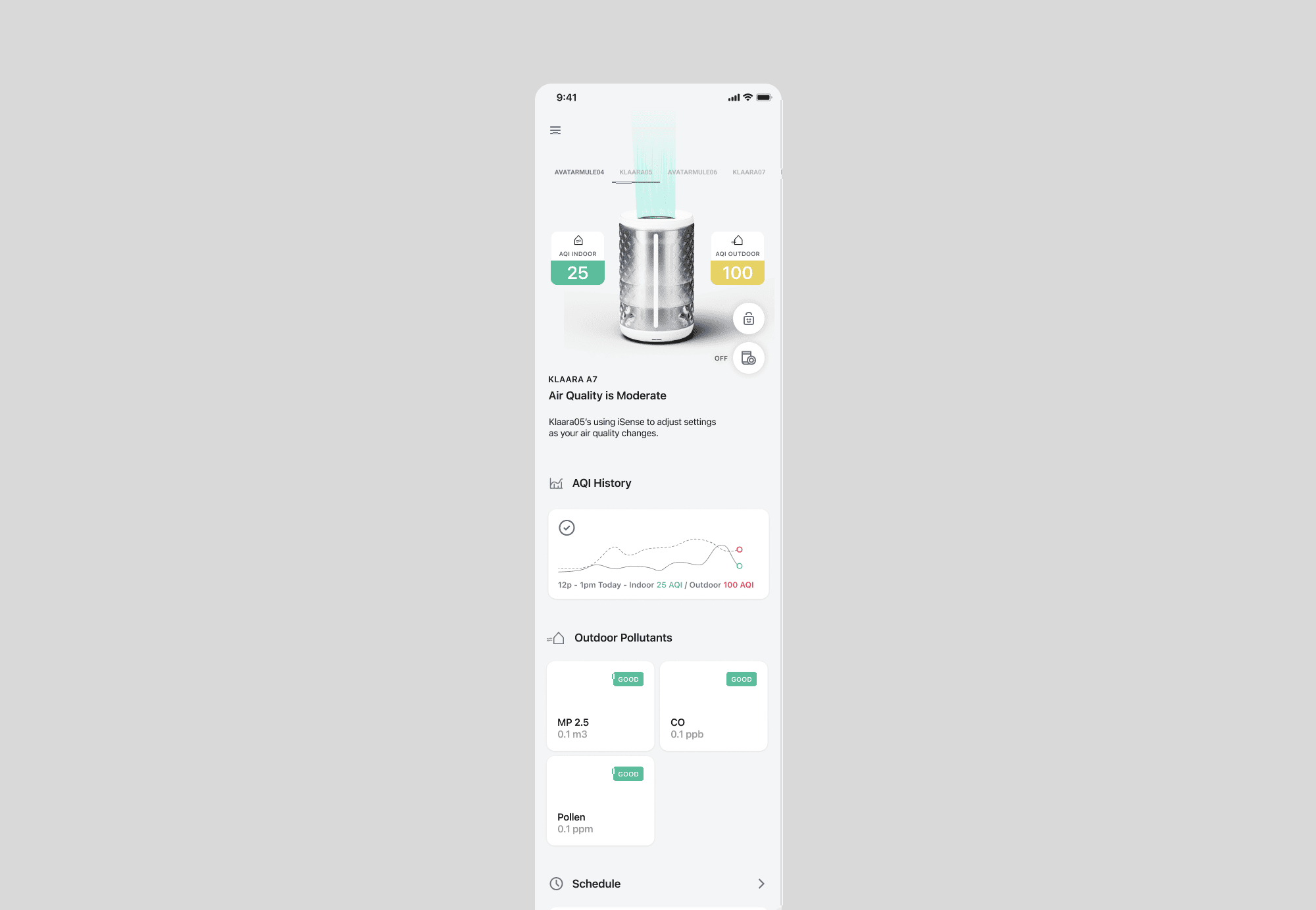
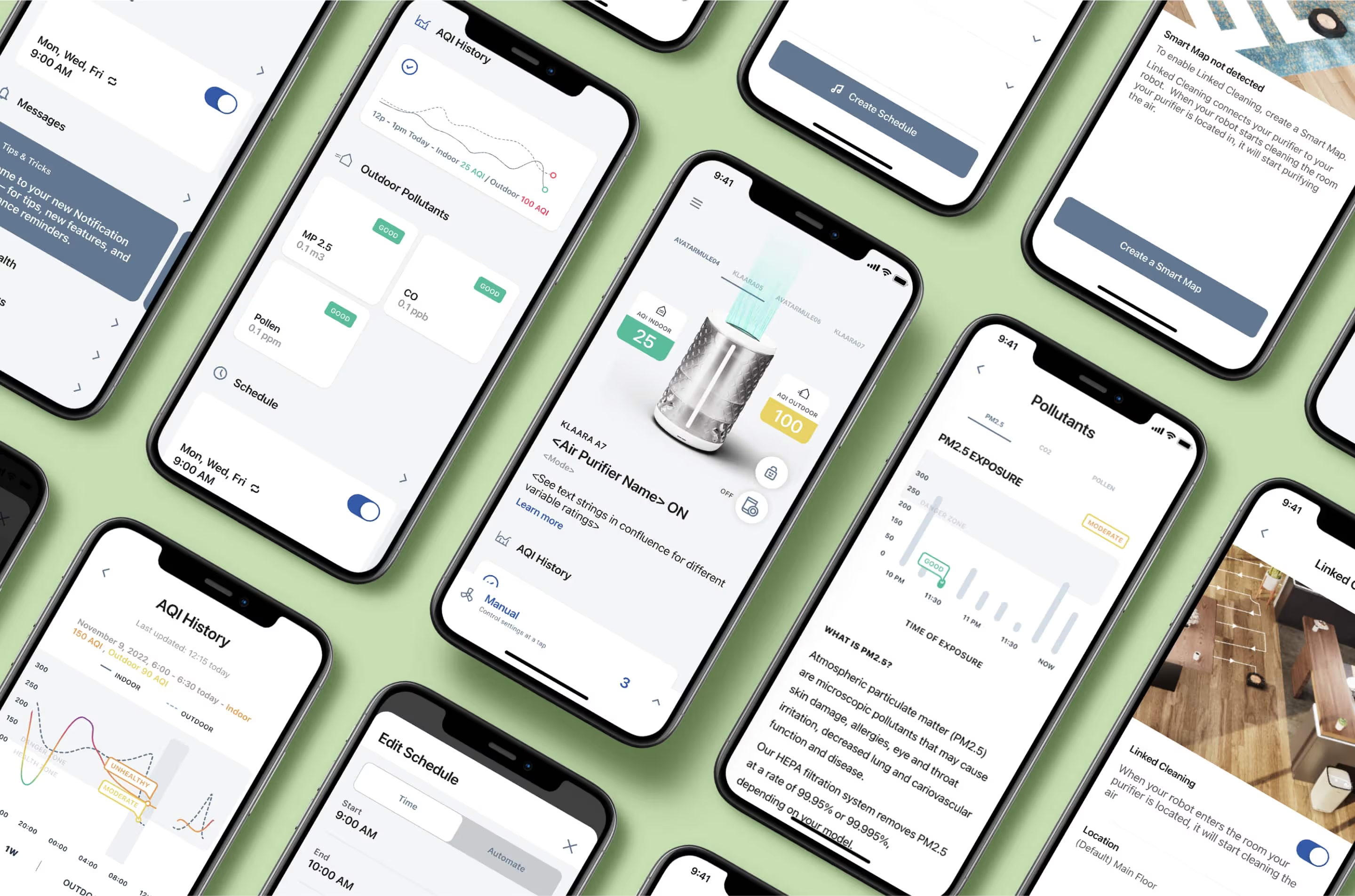
Final home dashboard showing real-time AQI and a simplified status overview.
Final designs
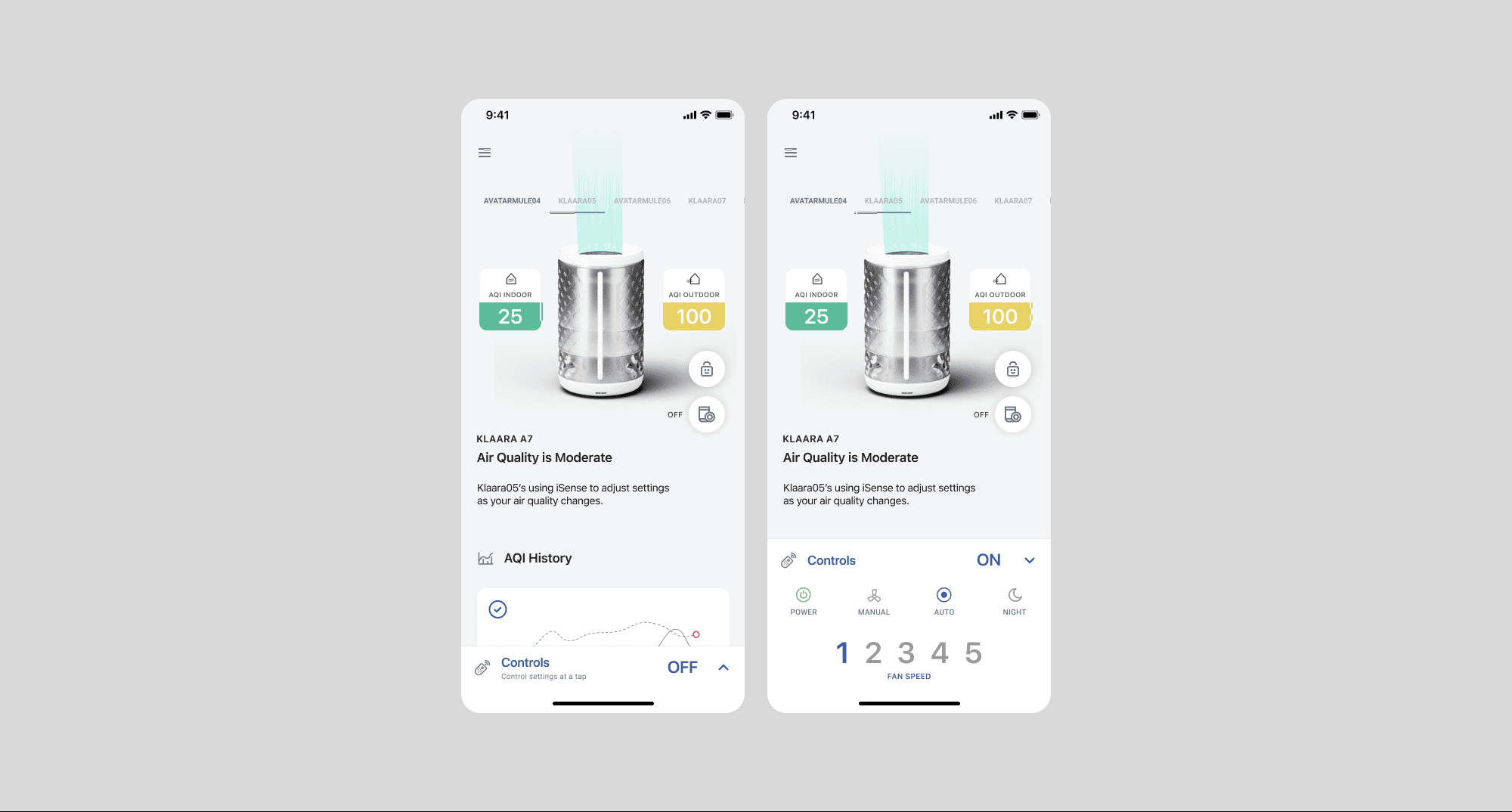
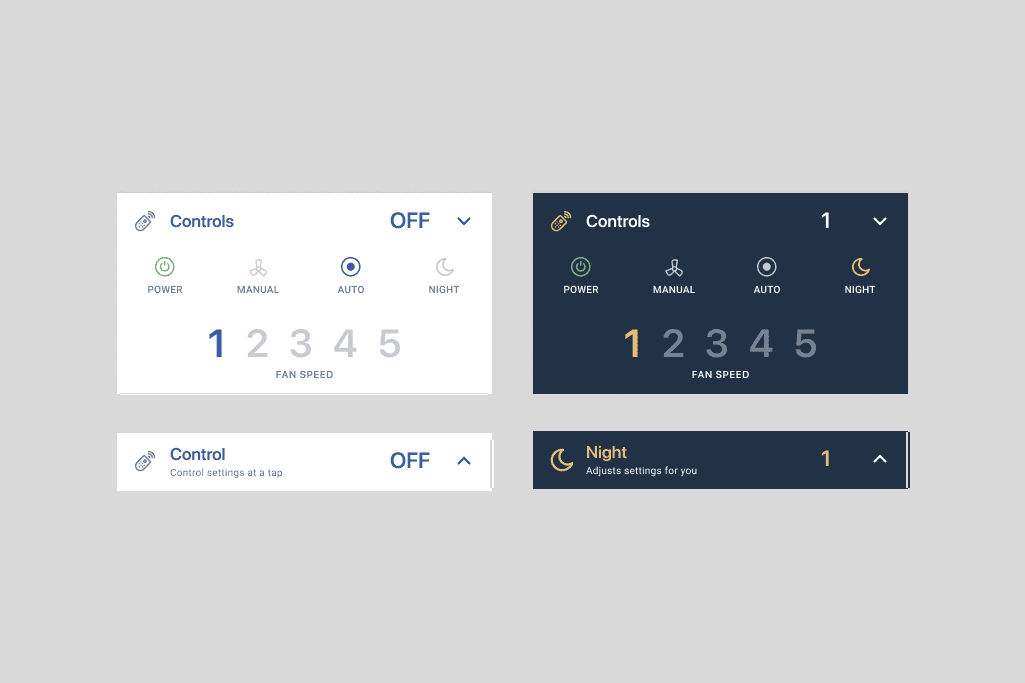
Mode selection redesigned for clarity and faster interaction (Auto, Quiet, Performance).
Device detail view with improved hierarchy and accessible air-quality information.
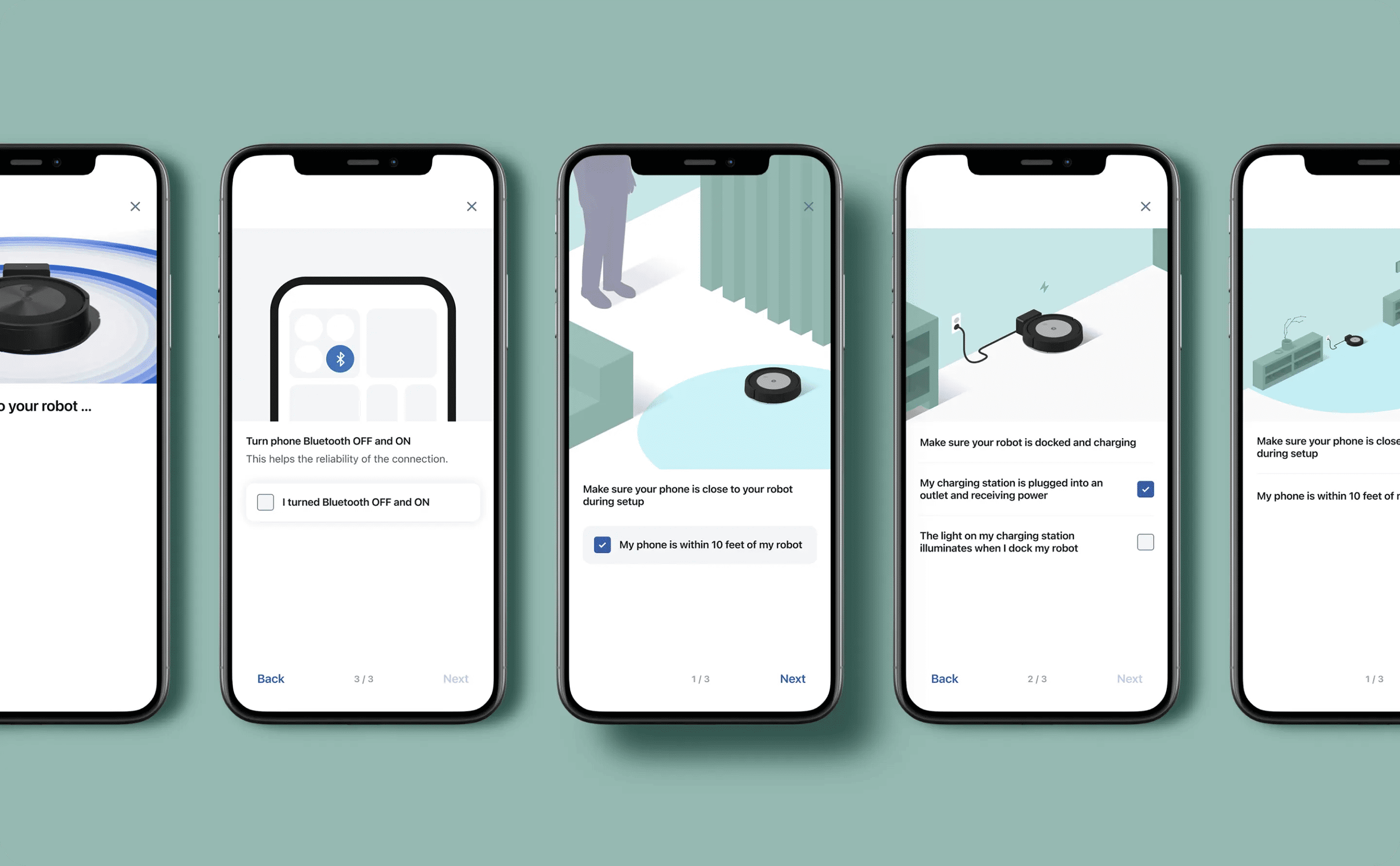
Step-by-step onboarding flow created to simplify device setup for non-technical users.
linked cleaning (Combined Device Automation)
Why it matters
Users with both a robot and an air purifier expect one seamless ecosystem.
Before this feature, they had to manage devices independently.
What I designed
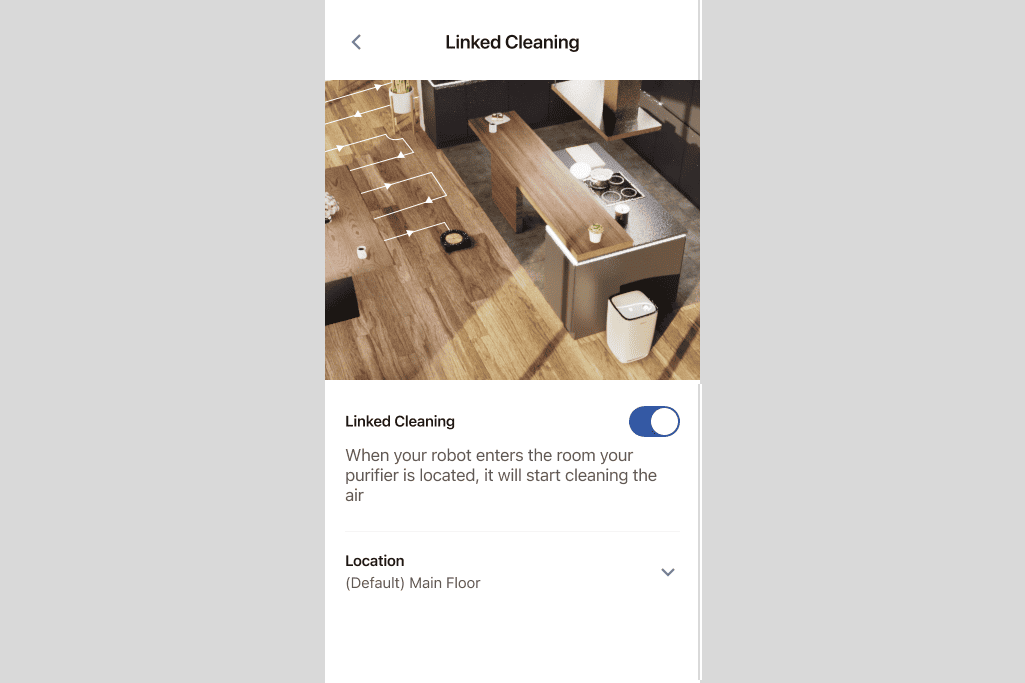
• A unified flow that connects cleaning cycles with air purification. • Rules like “Start the purifier when cleaning finishes”. • Simple controls for combined automation. • Real-time synchronization between devices.
Impact
• Users felt more in control with less friction. • Increased usage of both devices. • Reduced need for manual adjustments. • Contributed to the 20% increase in conversion rate.
Linked Cleaning feature connecting purifier behaviour with robot cleaning patterns for automated home routines.
Results & Impact
Business Impact • +20% increase in conversion rate after redesign • Higher adoption among robot owners using the purifier + robot combo • Reduced customer-support tickets related to onboarding • More cohesive multi-device experience inside the ecosystem
User Impact • More intuitive device setup • Cleaner UI with clearer air-quality insights • Improved confidence using multiple devices in a single app
Product improvements including faster load times, better network performance and increased adoption
Reflections & Learnings
This was my first major end-to-end product project. I learned the importance of consistent cross-functional collaboration, the value of testing early, and how to balance user needs with technical constraints. Working with multiple iRobot teams taught me to handle complexity, communicate design decisions clearly, and iterate fast to deliver a polished and scalable solution.
What’s Next / Future Opportunities
Future improvements could include predictive air-quality alerts, deeper automation with robot-vacuum behaviours, and AI-based recommendations based on home usage patterns. Exploring ways to unify more smart-home devices within iRobot’s ecosystem would continue strengthening the user experience
Alongside the app experience, I also supported the team with web and e-commerce design for the purifier launch. This included creating landing pages, product-detail layouts, promotional assets and visual components adapted to iRobot’s online store.
The goal was to maintain visual consistency across channels, ensure clarity around product features, and optimize the purchase journey for new purifier customers.